 El Tablero
For the congregation
Your congregation's assignments, all in one place.
A tool for congregations of Jehovah's Witnesses to organize their meetings and other activities. Simple for everyone, complete for those who organize, and free.
Made for the whole congregation to use
Simple
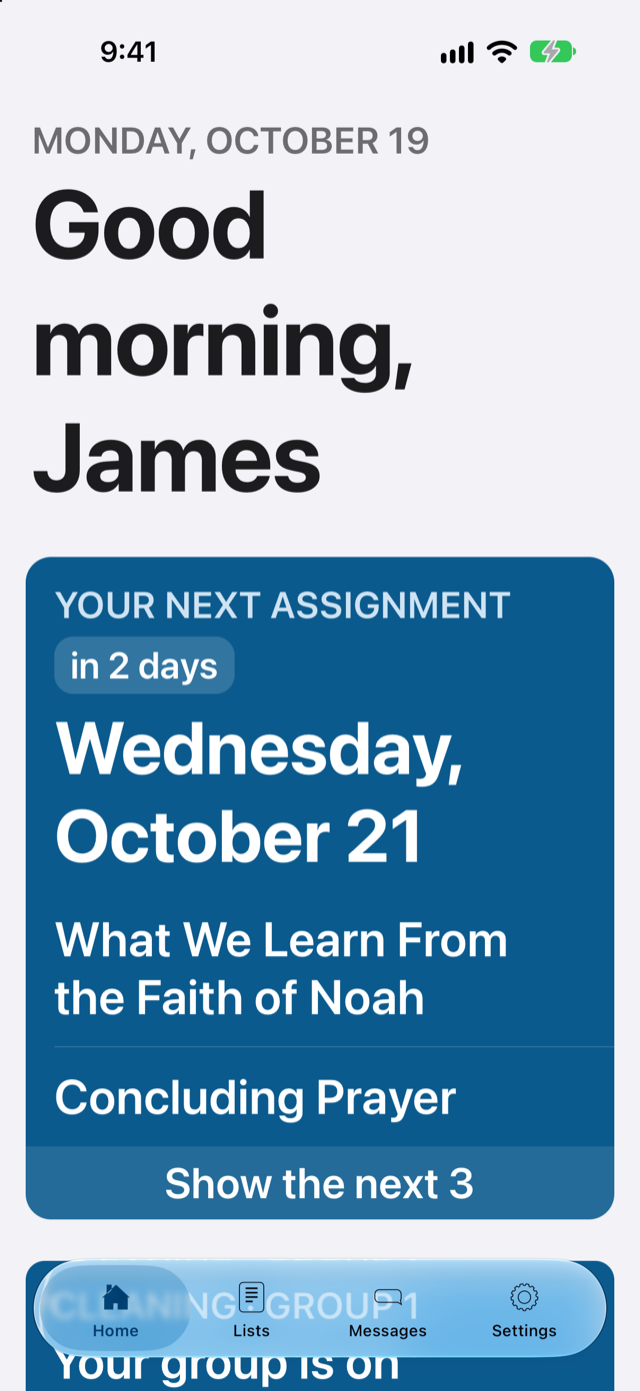
Open the app and your next assignment is right there. No complicated menus or technical words.
Complete
Midweek, weekend, support, carts, cleaning, messages and reports. All connected.
Free
No cost for the congregation or the friends. No ads and no in-app purchases.
What sets it apart
Made with care, from start to finish
Respects the jw.org terms
El Tablero doesn't download or store content from jw.org, because its terms of use don't allow it. Each congregation enters its own schedule, just as it does on paper.
Everything from the phone
Not just for viewing assignments: lists are also built and approved from the iPhone or iPad, without needing a computer.
In English and Spanish, designed like an iPhone app
Each congregation chooses its language. With the look and simplicity of iPhone and iPad apps.
Reports never leave the device
The reports, publisher record cards and attendance kept by the Secretary are stored only on his device, not on the internet.
For everyone
Easy even for those who aren't comfortable with technology
El Tablero is designed with older ones in mind, and for anyone who isn't comfortable with technology. If they can open a message, they can use El Tablero.
- What matters, firstWhen they open the app, their next assignment appears: what, when and with whom.
- Text as large as they needThe app follows the text size each person chose on their phone.
- A notification when it's their turnNo need to keep checking: the phone lets them know when they have a new assignment.
- Signing in is simpleWith their name and a password. No email address needed.
Without opening the app
What you have, on your Home Screen
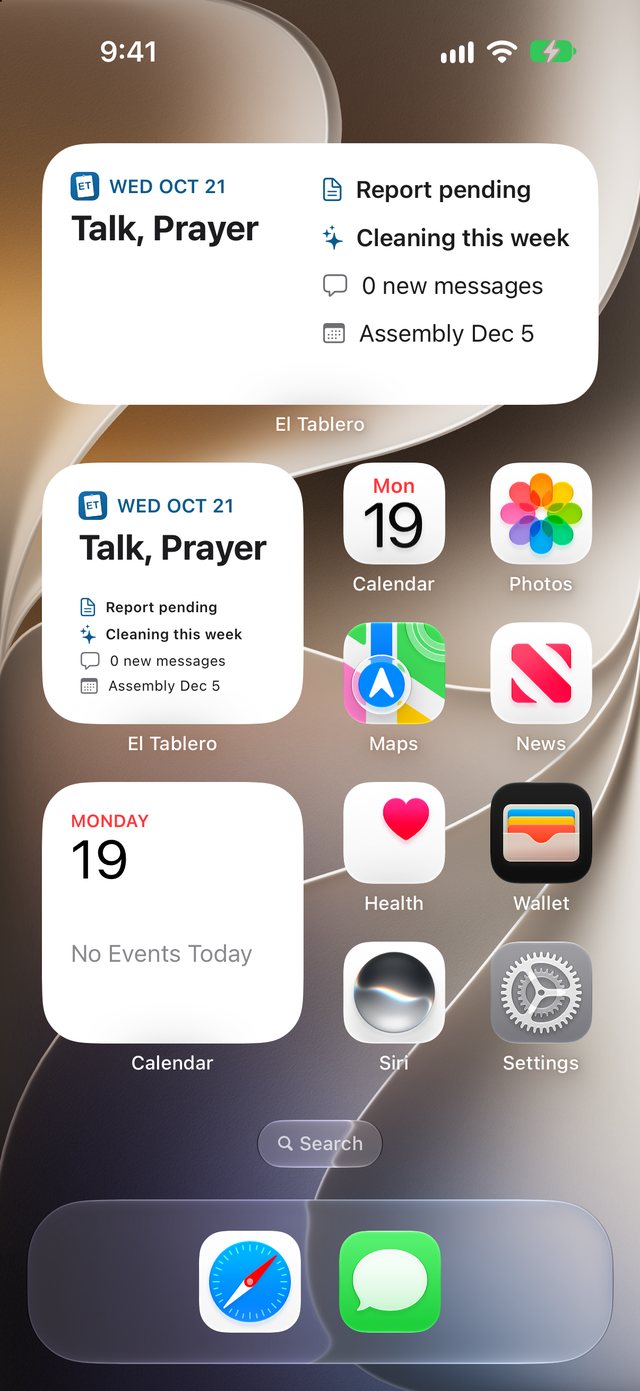
With the El Tablero widget you see your next assignment at a glance, along with everything else you need to know that week.
- Your next assignmentWhat you have and when, in a few words: Reader, Talk, Part 5.
- The reminders that matterWhether your report is pending, your group's cleaning week, new messages and the next special event.
- Or just ask Siri“What's my next assignment in El Tablero?” and Siri answers without you touching the screen.
Features
Everything the congregation organizes
Every list in its place, with the same publishers, groups and qualifications for all of them.
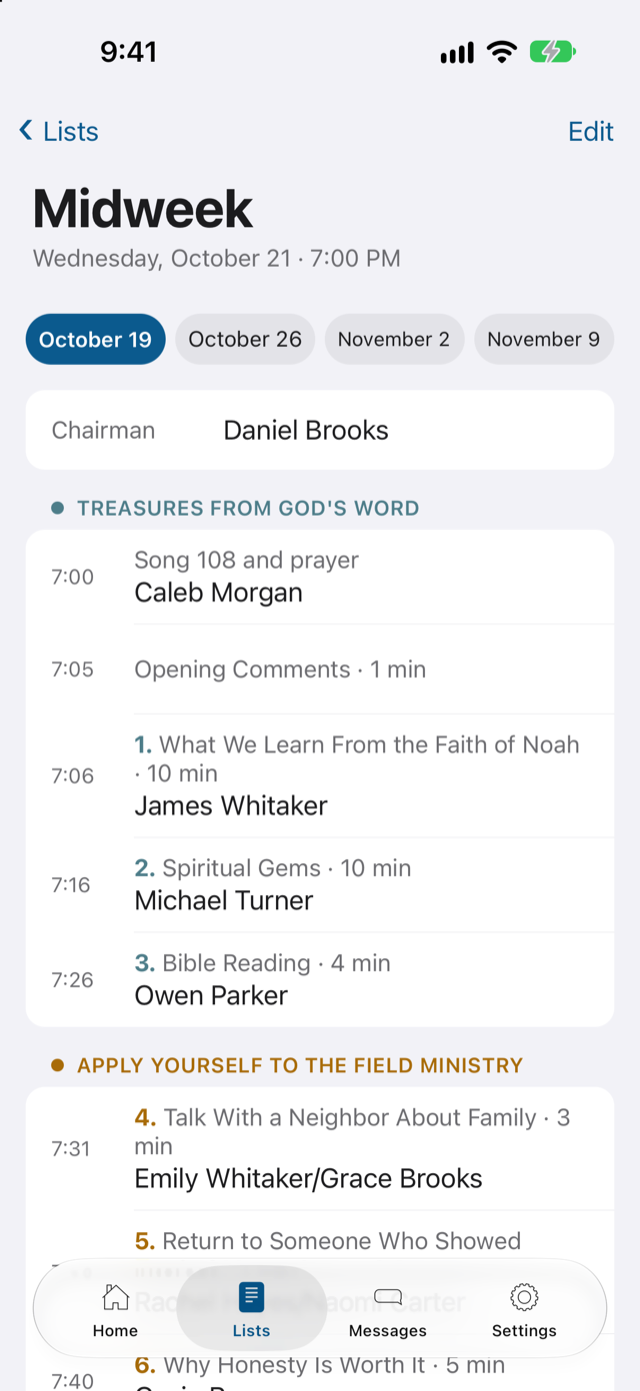
Life and Ministry
With the meeting's structure already in place, you enter the week's schedule and the app suggests who can take part, based on who has gone longest without an assignment and leaving out anyone who said they'll be away.
Weekend meeting
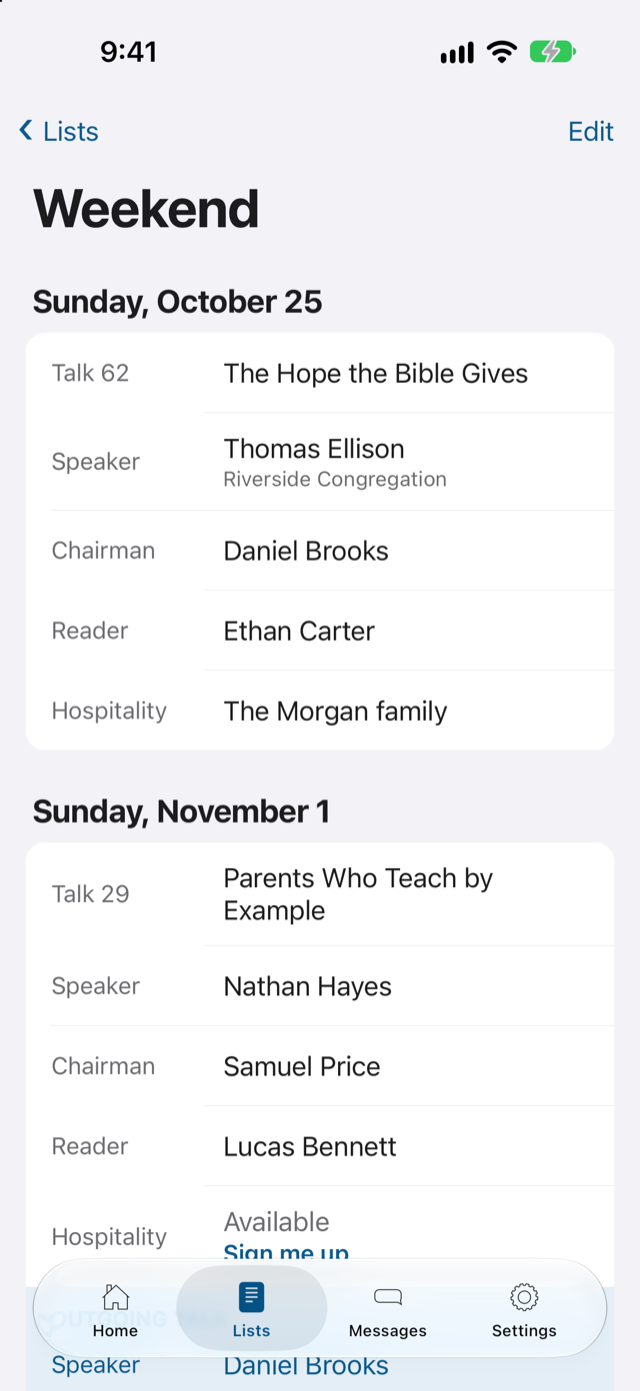
Local and visiting speakers, outgoing talks, chairman, reader and hospitality, all on one page.
Support
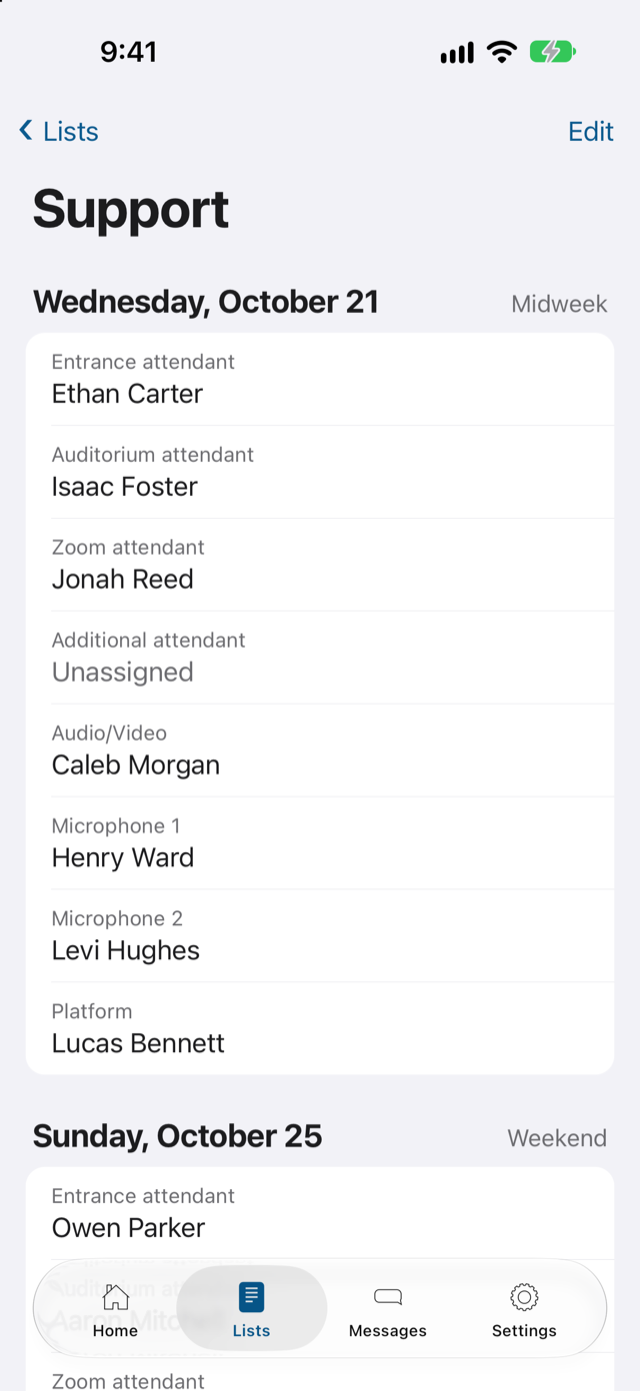
Attendants, microphones, audio and video, with the brothers qualified for each task.
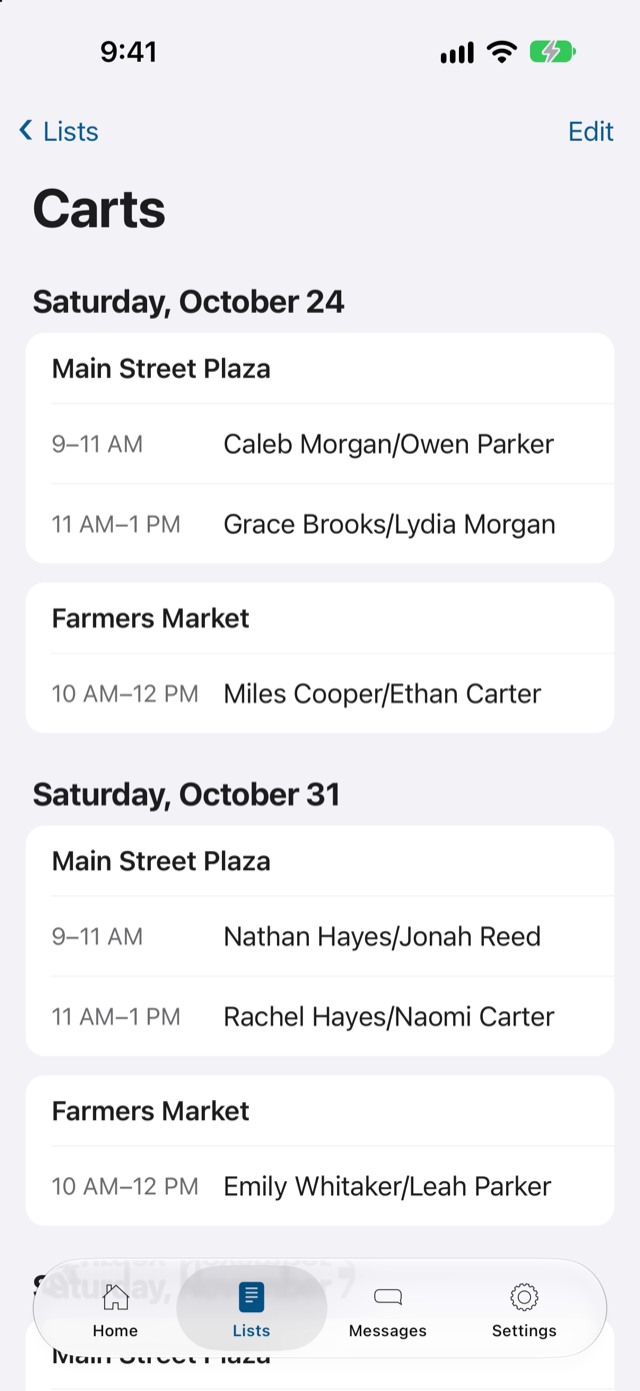
Cart witnessing
Shifts by location and time, only with approved publishers, in pairs of the same gender.
Kingdom Hall cleaning
Each group knows when it's their turn, with the task list to check off what's done.
Territories
Who has each territory and when it was worked, addresses by street with the result of each visit, the map, and streets shared for a few hours.
Announcements
The Kingdom Hall information board, on the phone: administrators post a PDF or an image, and can notify everyone.
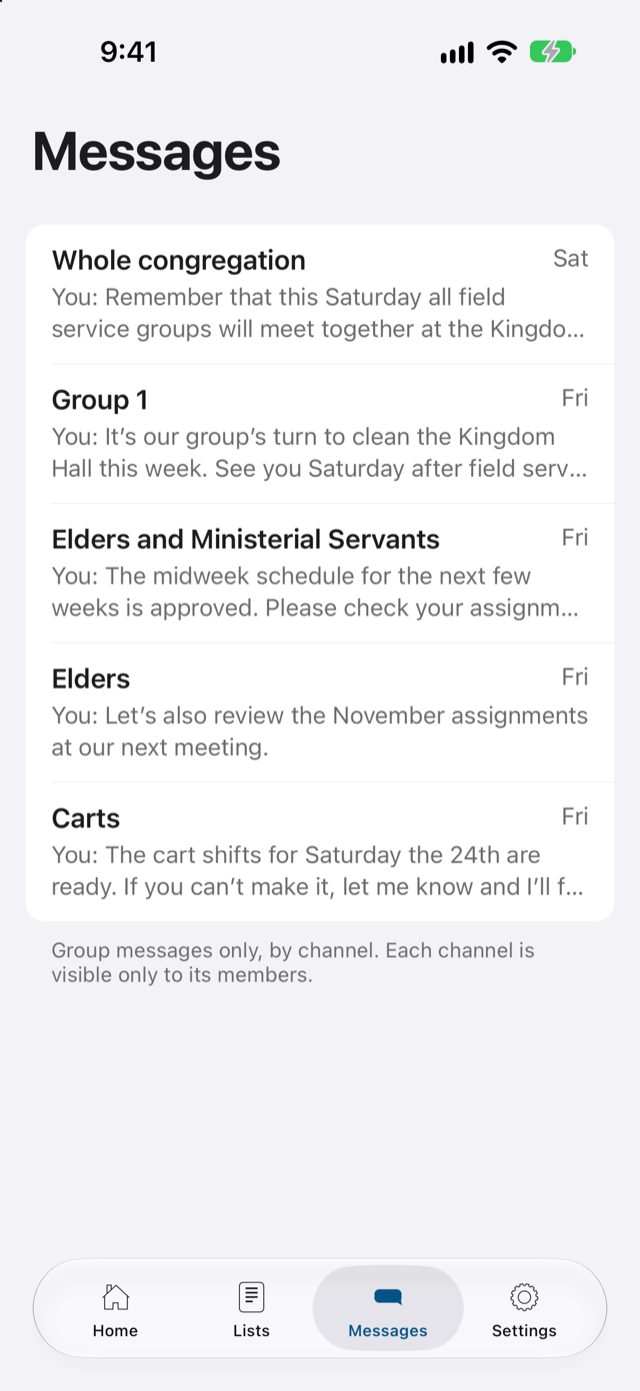
Messages
Channels for the whole congregation, elders and ministerial servants, each field service group and more.
Notifications
When a list is published, everyone with an assignment gets a notification and, if they want, a reminder a few days before to confirm or deny it.
My ministry
Bible studies for the month and, for pioneers, their time on a calendar and how much is left to reach their goal. The report fills in by itself.
Secretary
Reports, publisher record cards, attendance and summaries on one designated device. That data never leaves it.
Printable sheets
The schedule and assignment slips, with their own design, ready to print or share for anyone who prefers paper.
For those who organize
Less time building lists
The app suggests; a brother decides. On the iPad or the computer, with every list in view, the responsible brother reviews each suggestion, changes what's needed and approves the list. Nothing is published without his approval.
- A new week in a few minutesThe meeting's structure is already in place: enter the songs and titles, and the app suggests whom to assign.
- He approves, the app notifiesWhen the brother approves a list, everyone with an assignment gets a notification.
- Several administratorsEach brother handles his part, and they all work on the same lists.
The congregation's data belongs to the congregation
El Tablero keeps only what's needed to organize assignments, and never uses it for anything else. Read the privacy policy.
No ads, no tracking
Data isn't sold or shared, and no one tracks what each person does.
Each person sees their own
Only the congregation's publishers can sign in, and each channel is only for those it belongs to.
Reports in one place
The reports and publisher record cards kept by the Secretary stay on his device, not on the internet.
How to start
One congregation at a time
El Tablero is a personal project. I'd rather grow slowly and support each congregation well, especially in its first weeks.
Join the list
Leave your congregation's details. It only takes a minute.
We set it up together
When it's your turn, I'll help you add the publishers, groups and lists.
Everyone gets their account
A message with their name, password and the link to install the app.
Frequently asked questions
How much does it cost?
Nothing. El Tablero is free for the congregation and for everyone in it, with no ads and no in-app purchases. If you find it useful and would like to make a donation, you can write to me.
Is El Tablero an official app of Jehovah's Witnesses?
No. El Tablero is a brother's personal, independent project, developed with the help of artificial intelligence. It isn't affiliated with jw.org, JW Library, the Watch Tower Bible and Tract Society or any other official entity of Jehovah's Witnesses, and it doesn't replace any direction the congregation receives.
Why isn't the schedule imported from jw.org?
Because the jw.org terms of use don't allow storing its content on a server to use in an app. So each congregation enters its own schedule and talk outlines, just as it does on paper. The meeting's structure is already in place, so only the songs and titles are entered: a few minutes a week.
Which devices does it work on?
On iPhone, iPad and Mac with the native app, and on any other computer or device in the browser. Although the browser version works perfectly well, please note that it won't have every feature available on Apple devices.
Which languages is it in?
English and Spanish. Each congregation chooses its language, and the app, notifications and printable sheets all use it.
Can I bring my data from another app, like NW Scheduler, NW Publisher, Hourglass or TheocBase?
There's no automatic import from those apps yet. In the meantime, when it's your congregation's turn, I'll help you move the list of publishers. Direct import is among the upcoming features.
Do the friends need an email address?
No. A congregation administrator creates their account, and they sign in with their name and a password. If someone forgets it, the administrator resets it.
Who can see the congregation's data?
Only the friends in that congregation, and each person sees what applies to them. The reports and publisher record cards kept by the Secretary are stored only on his device. The details are in the privacy policy.
Why is there a waiting list?
Because El Tablero is a one-person project and I sign up one congregation at a time. That way I can help each one set everything up and answer any questions in its first weeks.
What if we decide to stop using it later?
You can export your data at any time. If you ask, I'll completely delete the congregation's information.
Waiting list
Want El Tablero for your congregation?
Leave your details and I'll write to you when it's your congregation's turn.